What Is an AVIF File? How to Open It on Windows, Mac and Phone
You saved an image and got a file ending in .avif. Your browser shows it perfectly, but your photo editor, an upload form or an older phone can’t open it. AVIF is the newest image format on the web. Here’s what it is, where it works, and how to turn it into a JPG or PNG when it doesn’t.
The short answer
An AVIF file is an image in the AV1 Image File Format, a newer format that makes files much smaller than JPG. Any modern browser can open it. When an app or form won’t accept it, convert it with the AVIF to JPG converter: drop in the files, tap Convert, then Download. It’s free and nothing is uploaded.
What is AVIF?
AVIF (AV1 Image File Format) was released in 2019 by the Alliance for Open Media, a group that includes Google, Apple, Microsoft, Netflix and Amazon. It stores a picture using the same compression as the AV1 video codec, which is very efficient. AVIF supports transparency, animation and HDR colour, and it’s royalty-free.
The headline feature is size. In our own test, the same 2560 × 1600 screenshot was 82 KB as AVIF, 143 KB as WebP and 238 KB as JPG. That’s why more websites now serve AVIF images, and why you increasingly get one when you save a picture. The full comparison is in JPG vs PNG vs WebP vs AVIF.
Where AVIF files open, and where they don’t

- Browsers: Chrome, Edge, Firefox and Safari all display AVIF. Dragging an .avif file into a browser tab is the quickest way to view one.
- Windows: on recent Windows 11, the Photos app can open AVIF. If it can’t, install the free AV1 Video Extension from the Microsoft Store. Older Windows versions and Paint may not open it.
- Mac: recent macOS versions open AVIF in Preview and Photos.
- iPhone and Android: recent versions show AVIF, but sharing it to other apps often fails.
- Editors, upload forms, printers: often not. This is where converting helps.
How to convert AVIF to JPG or PNG
- Open the AVIF to JPG converter.
- Drop in your .avif files, up to 20 at a time.
- JPG is selected. Choose PNG instead if the image has a transparent background or you’ll edit it.
- Tap Convert, then Download.
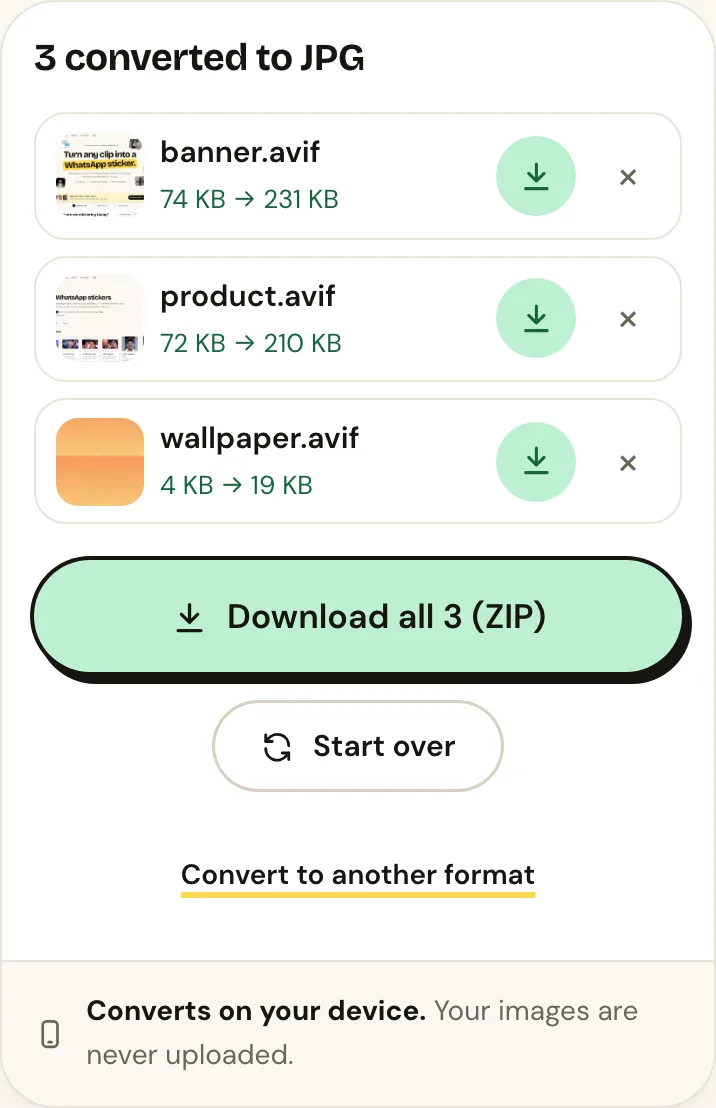
Don’t be surprised that the JPGs are bigger. AVIF compresses far better than JPG, so the same picture needs more bytes in the older format. If that’s too big for an upload form, run the JPG through Tiny Images; it accepts AVIF directly too.
Should you use AVIF for your own images?
For a website you control, yes: smaller images mean faster pages. Convert with the image converter by choosing AVIF as the format. Keep a JPG or WebP fallback if your site builder or older visitors need one. For anything you’ll email, print or upload to a form, stick with JPG. See compressing images for your website for the full checklist.
Frequently asked questions
Is AVIF better than JPG?
For file size, yes, by a wide margin at the same visual quality, and it supports transparency. For compatibility, JPG still wins: everything opens it.
Is AVIF better than WebP?
AVIF usually produces smaller files than WebP. WebP is older and supported by more apps, and it’s faster to create. Both are good choices for websites.
Why can’t I open an AVIF file on Windows?
Your Photos app may need the free AV1 Video Extension from the Microsoft Store, or an update. Or convert the file to JPG and open it anywhere.
Does converting AVIF to JPG lose quality?
Very little: the converter saves JPGs at quality 85. Choose PNG if you want no further loss at all.