What Is a JFIF File? Why Windows Saves It and How to Change It to JPG
You saved a photo from Chrome or WhatsApp Web, and it landed as IMG_1.jfif. It opens fine on your PC, but the job portal says “only JPG/JPEG allowed”. A JFIF file is just a JPG with an unusual name, and fixing it takes seconds.
The short answer
A JFIF file is a normal JPEG image saved with the .jfif ending. To change JFIF to JPG, drop the files into the JFIF to JPG converter, tap Convert, then Download. For a single file, renaming .jfif to .jpg also works, because the picture inside is the same.
What is a JFIF file?
JFIF stands for JPEG File Interchange Format. It was published in 1992 as the standard way to store JPEG image data in a file, and it’s what nearly every .jpg file on your computer actually contains. So a .jfif isn’t a different kind of image: it’s the same JPEG data, wearing a less familiar name tag.

Why does my PC save images as JFIF?
When a website sends a JPEG, your browser asks Windows which file ending to use for that type of image. On many PCs, a Windows setting answers .jfif instead of .jpg, often after another program or an update changed it. Chrome and Edge follow that setting, so images from websites, Google Images and WhatsApp Web are saved as .jfif. Your browser isn’t broken, and the images aren’t damaged.
Why forms and apps reject .jfif
Most upload forms check the file ending, not the picture inside. Exam, job, bank and government portals usually list “JPG/JPEG only”, so a file ending in .jfif is turned away before anyone looks at it. Some older apps and online editors do the same.
How to change JFIF to JPG (three ways)
1. Convert them in your browser (best for several files)
- Open the JFIF to JPG converter.
- Drop in your .jfif files, up to 20 at a time.
- JPG is already selected. Tap Convert, then Download.
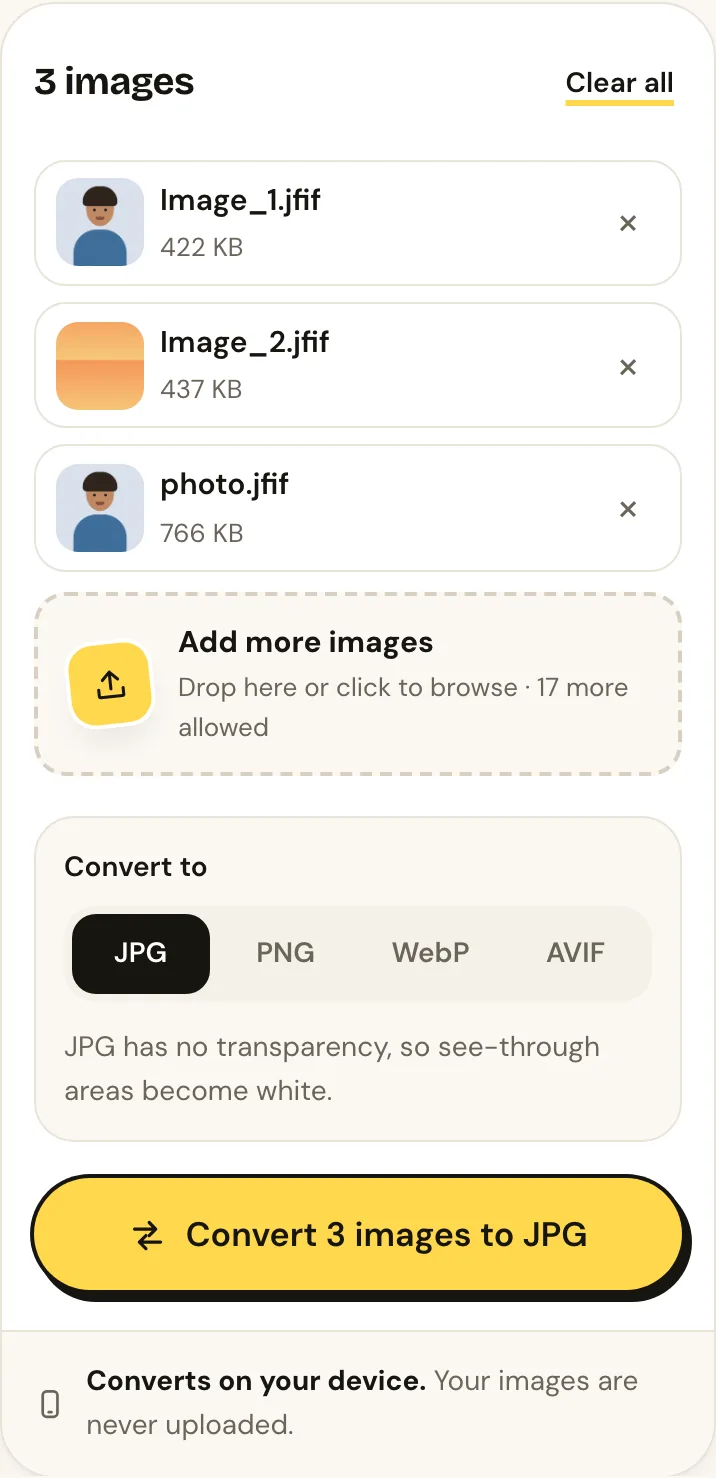
This works on any phone or computer, and the files never leave your device. It’s also the safest route for forms, because you get a freshly saved .jpg rather than a renamed file.
2. Rename the file (quickest for one file)
In File Explorer, first turn on file endings: on Windows 11 choose View → Show → File name extensions; on Windows 10, tick File name extensions on the View tab. Then right-click the file, choose Rename, change .jfif to .jpg and confirm the warning. Because JFIF is JPEG inside, the file opens and uploads as a normal JPG.
3. Stop Windows saving .jfif (advanced)
The setting lives in the Windows Registry. Open Registry Editor, go to HKEY_CLASSES_ROOT\MIME\Database\Content Type\image/jpeg, and change the Extension value from .jfif to .jpg. Restart your browser, and new downloads will save as .jpg.
Be careful in the Registry. Change only that one value. A wrong edit elsewhere can cause problems, so if you’re not comfortable, stick with converting or renaming.
Changing JFIF to PNG, or making it smaller
- Need PNG? Pick PNG in the image converter. It’s lossless, so files are larger.
- Form has a size limit too? Compress to 50 KB accepts .jfif directly and saves a .jpg under the limit, fixing the ending and the size in one step. More on that in the form upload guide.
Frequently asked questions
Is JFIF the same as JPG?
Yes. JFIF is the file format that JPEG images are stored in. The .jfif, .jpg and .jpeg endings all hold the same kind of image.
Is a JFIF file safe to open?
Yes, it’s an ordinary image. Windows Photos, Paint and every web browser open it.
Does converting JFIF to JPG reduce quality?
The converter re-saves the picture at high quality (85), where the difference is very hard to see. Renaming changes nothing at all, since the picture data isn’t touched.
Why does WhatsApp Web save images as JFIF?
WhatsApp Web downloads through your browser, so it follows the same Windows setting. Use any of the three fixes above.